
Disclosure: This page may contain affiliate links. I may earn a commission at no extra cost to you if you purchase through one of these links.
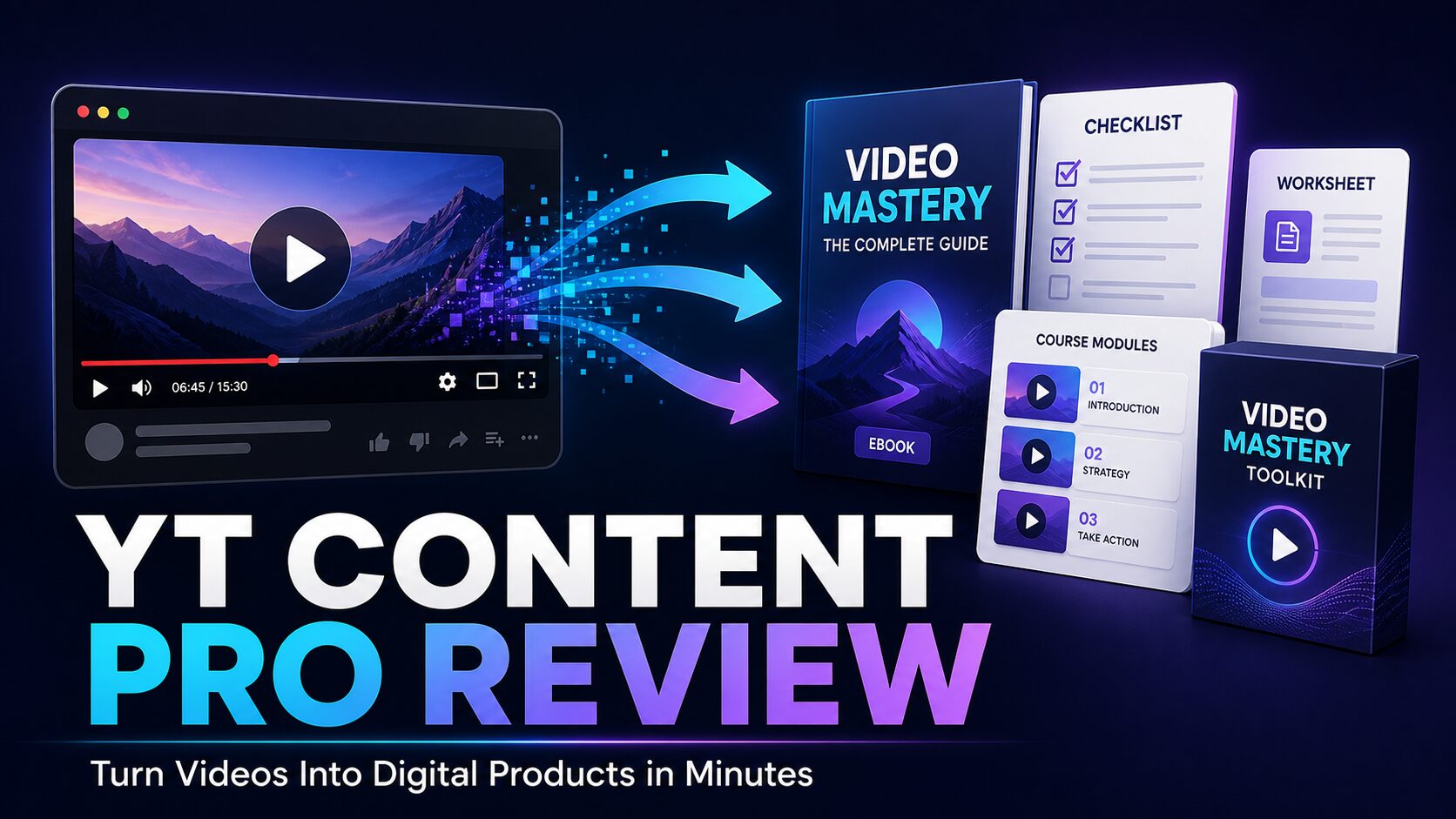
Creating an ebook, lead magnet, course outline, or newsletter from scratch can take considerable time. YT Content Pro aims to simplify that process by converting the content of a YouTube video into several reusable digital formats. Its central promise is straightforward: Pro turns any YouTube video into sellable digital products in under 5 minutes. While speed is the main attraction, responsible users should still review the output for accuracy, originality, quality, and usage rights before publishing or selling it.
What Is YT Content Pro?
YT Content Pro is an AI-powered content repurposing platform. You paste a YouTube video URL into the application, and the software processes the video’s spoken content. It can then generate an ebook, blog post, lead magnet, course outline, newsletter, and AI summary based on that material.
According to the product information, YT Content Pro uses Whisper AI and Claude. Whisper is used to help process spoken content, while Claude supports the writing and organization of the generated materials. The front-end offer is intended to make this workflow accessible to people who do not have advanced writing, editing, design, or technical skills.
The software may be particularly relevant to content creators, coaches, consultants, affiliate marketers, educators, and small business owners who already use video as part of their marketing. It can also help users organize their own long-form videos into formats that are easier for an audience to read, download, or study. ViralStreet AI Review: Is This the World’s First AI-Powered App for Viral-Style Videos?
How YT Content Pro Works
The basic workflow is built around a YouTube URL rather than a blank document. Instead of manually watching a video, taking notes, creating an outline, and writing several assets, you provide the source video and let the software create initial drafts.
Step 1: Choose an Appropriate YouTube Video
Start with a video containing useful, clearly presented information. Tutorials, educational presentations, interviews, demonstrations, and structured discussions will generally provide better source material than videos with limited dialogue or no clear topic.
You should also confirm that you have the right to reuse the content. The safest option is to work with videos you created, videos owned by your business, or material for which you have explicit permission or a suitable license. A public YouTube URL does not automatically give someone the right to repackage and sell the video’s content.
Step 2: Paste the Video URL
Copy the relevant YouTube URL and paste it into YT Content Pro. The platform processes the spoken material so that it can be reorganized into written content. This removes much of the manual transcription and note-taking involved in conventional repurposing.
Step 3: Select the Content Format
Choose the type of asset you want to create. The advertised options include ebooks, blog posts, lead magnets, course outlines, newsletters, and AI summaries. The right format depends on your goal.
- Use an ebook for a detailed guide or entry-level paid product.
- Use a lead magnet to encourage relevant visitors to join an email list.
- Use a blog post to expand your website’s educational content.
- Use a course outline to organize lessons and learning objectives.
- Use a newsletter to share a concise version with subscribers.
- Use an AI summary to give readers the main points quickly.
Step 4: Generate the Draft
YT Content Pro is designed to generate the selected assets in under five minutes. Actual processing time may vary according to factors such as video length, source quality, platform demand, and internet connection. The key benefit is that the system can produce a structured starting point much faster than a fully manual workflow.
Step 5: Review and Customize the Output
Although the platform is promoted as requiring no writing or editing skills, reviewing AI-generated material remains an important business practice. Check names, dates, claims, instructions, examples, and technical details against the original video and other reliable information.
You should also add your brand voice, improve transitions, remove repetition, and make sure the final product addresses a specific audience need. If the source video includes opinions, sponsorships, outdated advice, or unverified claims, these issues should be identified before the content is distributed.
What Can You Create With YT Content Pro?
Ebooks and Short Guides
A detailed tutorial video can become the foundation of a short ebook. For example, a small business owner with a video about preparing an online store for a seasonal promotion could turn it into a practical guide with sections for planning, product selection, email preparation, and post-campaign review.
The generated ebook should be treated as a draft rather than an automatically finished commercial product. Adding a useful introduction, original examples, action steps, worksheets, branding, and an appropriate design can make it more valuable and easier to use.
Lead Magnets
A focused video can be converted into a checklist, quick-start guide, resource document, or educational download. A consultant who has recorded a video about common website mistakes, for instance, could create a lead magnet that helps business owners audit their own sites.
The lead magnet should solve a narrow problem and naturally connect to the next step in your marketing process. That might be a relevant email sequence, consultation invitation, product demonstration, or educational newsletter.
Blog Posts
Video-to-blog conversion can help creators make their existing information available to people who prefer reading. A blog post can also include screenshots, links, updated context, and practical instructions that may be difficult to present inside a video.
Publishing a raw transcript is rarely the best approach. A useful article needs a clear structure, accurate headings, concise paragraphs, and a distinct purpose. It should also provide enough original value to stand on its own rather than merely repeating the source word for word.
Course Outlines
A series of educational videos could be organized into modules, lessons, objectives, and exercises. This may help a coach or educator test a potential course structure before investing time in full production.
An outline is not the same as a finished course. Learners may still need demonstrations, assignments, feedback, supporting resources, and a clear progression from beginner concepts to more advanced material.
Newsletters and Summaries
Long videos often contain ideas that can be adapted into concise newsletter content. YT Content Pro can help extract and organize those ideas, giving you a draft that can be refined for your subscribers.
Summaries can also improve accessibility for busy audience members who want the main takeaways. However, a summary should accurately represent the source and avoid removing qualifications that change the meaning of the speaker’s statements.
Practical Example: One Video, Multiple Assets
Imagine that a freelance web designer has created a 30-minute YouTube tutorial explaining how small businesses can plan a simple homepage. The video covers audience needs, page structure, calls to action, trust elements, and mobile usability.
Using YT Content Pro, the designer could generate several initial assets:
- An ebook titled “A Beginner’s Guide to Planning a Small Business Homepage.”
- A homepage planning checklist offered as a lead magnet.
- A blog post covering the main sections every homepage should consider.
- A course outline for a short website planning workshop.
- A newsletter highlighting three common homepage mistakes.
- A short summary placed under the original YouTube video.
The designer would then check the content, add screenshots and examples, clarify any recommendations, and apply consistent branding. This approach uses one original video as the foundation for a broader content library without assuming that every AI-generated draft is immediately ready for sale.
Main Advantages of YT Content Pro
A Faster Starting Point
The platform can reduce the time spent transcribing videos and building first drafts. This is useful for small teams and solo business owners who have more ideas than production capacity.
Multiple Formats From One Source
Instead of creating each asset separately, users can develop several content formats around the same core topic. This can make messaging more consistent across a blog, email list, product library, and educational materials.
Beginner-Friendly Workflow
The URL-based process is designed for users without technical expertise. You do not need to set up a transcription system or learn complicated editing software simply to create the first written version.
Useful for Existing Content Libraries
Businesses with a collection of original YouTube videos may be able to give older material a new purpose. Evergreen videos can be updated and reorganized into resources that support current products or customer questions.
Important Limitations to Consider
AI content generation does not remove the need for judgment. Generated text may contain inaccuracies, awkward phrasing, unnecessary repetition, or details that were not expressed clearly in the source video.
There are also intellectual property considerations. You should not take another creator’s video, turn it into a product, and sell it without permission. Use your own content, licensed material, public-domain material where applicable, or content you are clearly authorized to repurpose.
Results will depend heavily on the source video. Poor audio, multiple speakers, specialist terminology, or an unstructured discussion may lead to a draft that requires more work. A well-organized video with clear audio is likely to provide a stronger foundation.
Finally, creating a product does not guarantee that it will attract traffic or generate sales. Product quality, market relevance, pricing, positioning, audience trust, and promotion all influence commercial outcomes.
Who Is YT Content Pro Best For?
YT Content Pro may be a practical choice for creators and businesses that already own useful video content and want to repurpose it efficiently. It may suit YouTubers, bloggers, coaches, course creators, consultants, agencies, and affiliate marketers who are prepared to review and improve the generated drafts.
It may be less suitable for anyone expecting completely hands-off publishing or instant income. It is also not a substitute for subject knowledge, legal permission, fact-checking, or a thoughtful marketing strategy.
How to Get Better Results
- Choose a video focused on one clear problem or outcome.
- Use content you own or have permission to repurpose.
- Select a format that matches the audience’s immediate need.
- Compare the generated draft with the original video.
- Verify factual, financial, legal, health, or technical statements carefully.
- Add original examples, exercises, images, or templates where appropriate.
- Format the asset for easy reading on both desktop and mobile devices.
- Ask another person to review the final version before publication.
Conclusion: Is YT Content Pro Worth Considering?
YT Content Pro offers a focused solution to a common content production problem: turning useful video material into organized written assets. Its ability to generate ebooks, blog posts, lead magnets, course outlines, newsletters, and summaries from a YouTube URL could provide a valuable starting point for busy creators and small businesses.
The strongest use case is repurposing content that you already own. The software can handle much of the initial extraction and organization, while you provide the expertise, quality control, branding, and audience insight needed to make the final product useful.
If that workflow fits your business, you can visit the YT Content Pro sales page to review the current front-end features, pricing, terms, and any available demonstrations before deciding. This is an affiliate link, which means a commission may be earned if you purchase through it, at no additional cost to you.
Frequently Asked Questions
What does YT Content Pro create?
YT Content Pro is designed to turn YouTube video content into ebooks, blog posts, lead magnets, course outlines, newsletters, and AI summaries. The generated material should be reviewed and customized before it is published or sold.
Does YT Content Pro really work in under five minutes?
The product is promoted as generating digital content in under five minutes. Processing time may vary based on the length and quality of the source video, internet conditions, and system demand. Additional review and customization will also require time.
Do I need writing or technical skills?
The platform is designed so that users do not need advanced writing, editing, or technical skills to create a draft. Basic editing, fact-checking, formatting, and content judgment are still recommended for professional results.
Can I use any YouTube video?
Technical accessibility does not equal legal permission. You should use videos you own, content you are licensed or authorized to repurpose, or material whose legal status clearly permits your intended use. Do not repackage another creator’s work for sale without permission.
Can the generated products be sold?
The software is intended to help create products that can be offered for sale, but you are responsible for ensuring that you hold the necessary content rights and that the final asset is accurate, original, useful, and compliant with relevant laws and platform rules.
Does YT Content Pro guarantee sales or traffic?
No software can guarantee traffic, sales, rankings, or income. YT Content Pro helps with content production, but commercial results depend on factors such as audience demand, product quality, positioning, pricing, promotion, and customer trust.